An Adobe Lightroom catalog is like a real library's card catalog
January 30, 2012 by Mike Hoffman

Understanding Lightroom's treatment of photos is always a challenge for people new to the program. The concept that a photo is "IN" Lightroom, or needs to be gotten "OUT" of Lightroom, is quite common. And the relationship between the thumbnails in the catalog and the actual, real images (be they JPG, TIFF or Raw) is equally confusing. Here's how I like to look at it:

Think of your images as books in a library. Each book is on a shelf somewhere (folders of your hard drive). The books and shelves may be organized in some fashion that may or may not make it easy to locate an individual book.

The catalog is the little cabinet in the front of the library that is full of cards describing each book – who is the author, where is it located in the library, what keywords it has, and so forth. When you look at a card in the catalog, you see a thumbnail of the image, and have a pointer to exactly where in the library that image is located.

A collection is a list of some of the cards in the catalog that meet certain criteria. In a regular collection, you pick and choose which cards to include in a new list (for example, my favorite images). In a smart collection, you pick the criteria to match, and the computer does the work of searching through the catalog for cards that match (all images with keyword "vacation" that were taken in 2011). With Smart Collections, the list is generated automatically.

Catalogs and collections do NOT contain images. They contain the cards that tell about the image – its location, information about the image, even a thumbnail of what the image looks like.

This is why moving images around outside of Lightroom is bad. You move the image on you hard drive, and the catalog of cards is still indicating that the image is located where it used to be. Try to find it there, and you get a big question mark.

When you move an image within Lightroom, the catalog of cards is updated with the new location if the image. And, since catalogs are just groups of copies of the cards, they are all updated too.

Google+: View post on Google+

read comments (3)
Taking your HDR Work Beyond the Ordinary
August 16, 2011 by Mike Hoffman

In a series of posts originally published on TipSquirrel, I presented the following series of videos covering a comprehensive approach to HDR processing. I’ve tried to steer away from HDR as an end in itself; instead, I look at HDR and tonemapping as just another tool in the toolbox.

These tutorials don’t cover how to capture an image in HDR – the bracketing process and the merging in the HDR software is well covered elsewhere. I’ve focused more on the overall thought process, and attention to details that get overlooked when you tonemap your images.

The process begins with the raw images, preparing them for the best possible results in the merge process. And, the process continues after the tonemapping – again, the HDR/tonemapping process is just a step on the way to taking your images beyond the ordinary. Enjoy!


Part 1 – What happens before the HDR merging starts

HDR – Beyond The Ordinary (Pt. 1) from Mike Hoffman on Vimeo.

Part 2 – What happens after the HDR merging is over – you’re not done yet.

HDR – Beyond The Ordinary (Pt. 2) from Mike Hoffman on Vimeo.

Part 3 – Post-processing and cleaning up your images is a major part of making the results extraordinary.

HDR – Beyond The Ordinary (Pt. 3) from Mike Hoffman on Vimeo.


Thanks, and I hope you find these tutorials useful!

read comments (0)
Working with Smart Objects in Photoshop: a tutorial compilation
January 6, 2011 by Mike Hoffman

SmartObjIntro05_thumbFor more than a year, I’ve been contributing Photoshop and Lightroom tutorials to the excellent site TipSquirrel.com. Many of the tutorials I’ve created are in the form of a series, with progressively deeper topics exploring specific Photoshop features.

One of the series I’ve posted deals with Smart Objects in Photoshop – a feature that was added several versions back, and provides a tremendous amount of flexibility and power. Here is a summary of the Smart Object tutorials, I hope you’ll explore them and learn a little more about our favorite pixel pushing program:

Get to know Smart Objects; they will become an essential part of your tool box!

read comments (3)
I see lines in my pictures!
July 7, 2010 by Mike Hoffman

Today’s post is all about lines. Straight lines, curved lines, jagged lines, criss-crossed lines, you name it. This morning I saw a ladder, and it got me to thinking about lines, and after that everywhere I looked, I followed the lines, and I encourage you to do the same. By recognizing the lines in a scene, you can take advantage of the opportunity to take a simple snapshot and make it into a great image.

Lines-17

Lines can be interesting or boring, and when they are plain horizontal or vertical, they can fatigue the viewer. When angled and especially when asymmetrical, they can really add depth and perspective to a photo. Consider the way the offset lines draw you right into these images:

Lines-4

Lines-11

Sometimes the lines can be curvy or wavy, but the effect remains – grab your attention and pull it into the scene:

Lines-25

Lines-6

Within nature, we find the same organic trend towards perspective and symmetry.

Lines-24

But, by breaking the symmetry, we impart greater tension, interest and impact with our images:

Lines-2

Lines-21

Take note of the lines in your photographs. Strive to break the symmetry, shoot to add perspective and draw the viewer in. Give it a try!

read comments (0)
Photoshop Blend Modes Compilation
May 13, 2010 by admin

I’ve recently completed a series of tutorials on Photoshop’s "Blend Modes," which are interesting and creative ways of mixing layers together according to color and brightness of the layer contents. If you haven’t explored this facet of Photoshop, I encourage you to give it a try – there are virtually unlimited ways you can use these capabilities to enhance your images.


You can find my series over at the TipSquirrel blog – where we’re nuts about Photoshop! Pop over and check out my tutorials, as well as those of quite a few other excellent instructors and artists!

My blend modes series includes:

Blend Mode Basics Part 1 – Screen Blending for Lightening
Blend Mode Basics Part 2 – Multiply Blending for Darkening
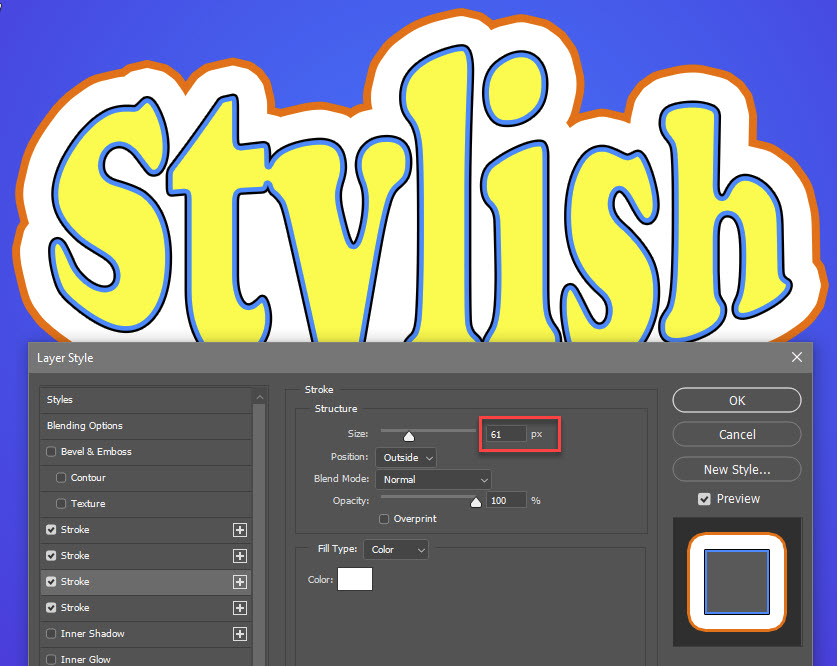
Blend Mode Basics Part 3 – Layer Styles and Blend Modes
Blend Mode Basics Part 4 – Overlay Blending for Contrast
Blend Modes Part 5 – Overlay Blending for Sharpening
Blend Modes Part 6 – Overly Blending for Softening
Blend Modes Part 7 – Refining Masks with Overlay Blending
Blend Modes Part 8 – Image Alignment and Analysis with Difference Blending
Blend Modes Part 9 – Creative Difference Blending
Blend Modes Part 10 – Introducing Luminosity Sharpening
Blend Modes Part 11 – Luminosity Sharpening Three Ways
Blend Modes Part 12 – Creative Luminosity Techniques

I hope you find these tips and tricks to be helpful and inspiring!

read comments (1)
Photoshop CS5 Tutorials Coming Soon!
April 8, 2010 by admin

As I mentioned yesterday, Adobe will conduct their official global launch of Creative Suite 5 on Monday, April 12… at 8am PDT. Here’s the great part – once the announcement and launch is official, those of us who’ve been testing the beta version of the software will be able to talk about it openly and in depth. And, that means tutorials galore!

Hoffman Art Design has teamed with some exciting partners to provide a stream of high quality tutorial information, starting Tuesday, April 13, over at the TipSquirrel blog. I’m proud to join Tim Shelbourne, Janine Smith, Justin Seeley and A.J. Wood in providing a suite of education to help ease your migration to the latest Adobe platform!

Stay tuned!

read comments (0)
Photoshop Blend Modes
April 5, 2010 by admin

If you’re using Photoshop, and aren’t familiar with the Blending Modes available for use within this powerful program, you are missing out! Blend modes can apply to layers, but can also be used in conjunction with various tools, layer effects and other parts of Photoshop.

I’ve been running through a series of tutorials on the Photoshop Blend Modes over on TipSquirel.com, and I encourage you to drop by to take a look at the possibilities that Blend Modes can bring to the creative party! Head over now to see what you’ve been missing:

(more…)

read comments (0)
Bird portrait retouching – from good to great
December 29, 2009 by admin

We see loads of tutorials online teaching aspiring photographers how to retouch portraits of people, but it’s not very common to see one that deals with our avian friends. Nevertheless, retouching in bird photography is every bit as important (maybe more so) than retouching people. Since most birds haven’t had the chance to apply makeup before the shoot, we’re going to have to give them a little bit of help in post production to have them looking their best!

So, join me as we apply a little bit of makeup, mascara, and maybe even (gasp) a little plastic surgery as we retouch our bird portrait – and take it from good to great.

(more…)

read comments (0)
Painting a Christmas Tree in Photoshop
December 22, 2009 by admin

Christmas-Tree Over in the NAPP forums, last Christmas a user asked about creating textures of pine needles or straw to be able to draw a Christmas Tree. I offered a simple solution using the brush engine, and after a few requests, and enhancements (adding snow) decided to create this tutorial. I posted it on the forums at that time, but now have decided to post it online here for all to share.

Merry Christmas! I hope you’ll enjoy this!

(more…)

read comments (1)
Creating complex selections from paths in Photoshop CS4
November 17, 2009 by admin

BrSwissArmyKnife3 One thing I really love about Photoshop is that it offers many different ways to solve a problem. There is generally no right or wrong way, just another way! And in coming up to speed with Photoshop, one of the key skills you’ll need to develop is creating selections and masks.

As with most other areas of the program, there are many ways to create a selection: ranging from the selection tools themselves (lasso, marquee, quick select, etc), to brushing on a layer mask or quick selection using any of the brush tools (brush, pencil, eraser, stamp, smudge, gradient, dodge, burn, etc) to even alt-clicking on a layer’s or channel’s thumbnail to load it as a selection (opt-click for you Mac users). However, I’m going to set all that aside today, and focus on another way to create complex selections – using paths and the paths panel.

(more…)

read comments (0)