May 13, 2010 by admin
I’ve recently completed a series of tutorials on Photoshop’s "Blend Modes," which are interesting and creative ways of mixing layers together according to color and brightness of the layer contents. If you haven’t explored this facet of Photoshop, I encourage you to give it a try – there are virtually unlimited ways you can use these capabilities to enhance your images.
You can find my series over at the TipSquirrel blog – where we’re nuts about Photoshop! Pop over and check out my tutorials, as well as those of quite a few other excellent instructors and artists!
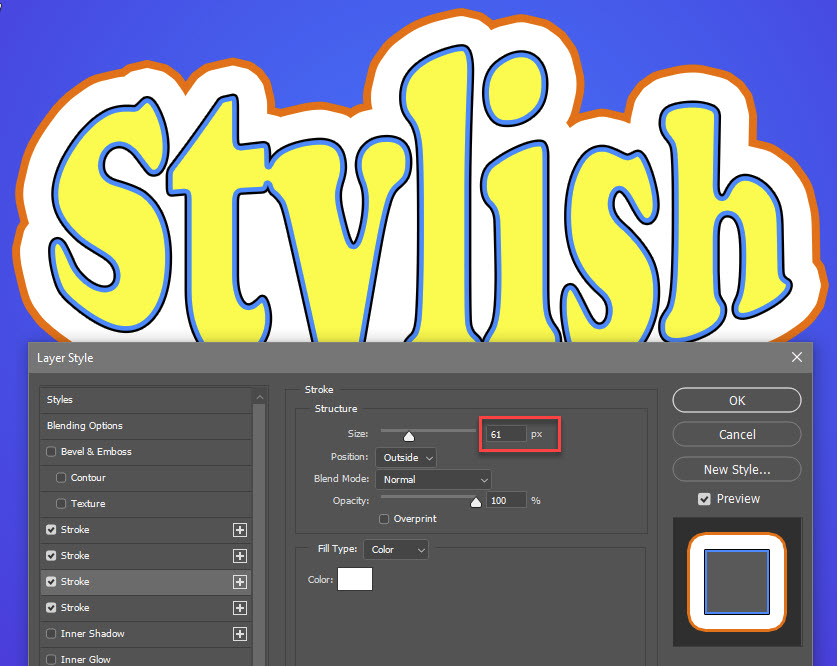
My blend modes series includes:
Blend Mode Basics Part 1 – Screen Blending for Lightening
Blend Mode Basics Part 2 – Multiply Blending for Darkening
Blend Mode Basics Part 3 – Layer Styles and Blend Modes
Blend Mode Basics Part 4 – Overlay Blending for Contrast
Blend Modes Part 5 – Overlay Blending for Sharpening
Blend Modes Part 6 – Overly Blending for Softening
Blend Modes Part 7 – Refining Masks with Overlay Blending
Blend Modes Part 8 – Image Alignment and Analysis with Difference Blending
Blend Modes Part 9 – Creative Difference Blending
Blend Modes Part 10 – Introducing Luminosity Sharpening
Blend Modes Part 11 – Luminosity Sharpening Three Ways
Blend Modes Part 12 – Creative Luminosity Techniques
I hope you find these tips and tricks to be helpful and inspiring!
April 8, 2010 by admin
As I mentioned yesterday, Adobe will conduct their official global launch of Creative Suite 5 on Monday, April 12… at 8am PDT. Here’s the great part – once the announcement and launch is official, those of us who’ve been testing the beta version of the software will be able to talk about it openly and in depth. And, that means tutorials galore!
Hoffman Art Design has teamed with some exciting partners to provide a stream of high quality tutorial information, starting Tuesday, April 13, over at the TipSquirrel blog. I’m proud to join Tim Shelbourne, Janine Smith, Justin Seeley and A.J. Wood in providing a suite of education to help ease your migration to the latest Adobe platform!
Stay tuned!
April 6, 2010 by admin
There has been a lot of buzz and anticipation over Adobe’s imminent announcement of their newest version of the Creative Suite, CS5. However, Adobe still has a few tricks up their sleeve in the meanwhile! Just announced today over at Adobe Labs:
All that, on top of the already available applications in Beta:
All told, the development teams at Adobe have given us a boatload of new stuff to play with. And with the CS5 announcement just days away, stand by for much more to come! Way to go, Adobe!!
April 5, 2010 by admin

If you’re using Photoshop, and aren’t familiar with the Blending Modes available for use within this powerful program, you are missing out! Blend modes can apply to layers, but can also be used in conjunction with various tools, layer effects and other parts of Photoshop.
I’ve been running through a series of tutorials on the Photoshop Blend Modes over on TipSquirel.com, and I encourage you to drop by to take a look at the possibilities that Blend Modes can bring to the creative party! Head over now to see what you’ve been missing:
(more…)
March 30, 2010 by admin
Well, it has been over two months since my last entry, and in that time I’ve been around the world and back again, visiting such places as Malaysia, China, Norway, Scotland, Germany… the list goes on. Sadly for my bird-loving friends, I haven’t had much time for birding, but I have been lucky enough to have my camera with me on many of my trips, so I will be posting a few shots over the coming days and weeks taken from the road.
In addition to some fun travel photography, I’ve been fortunate enough to have a chance to be a beta-tester for the forthcoming release of Adobe Photoshop CS5, which is scheduled to be announced on April 12. I’ve been digging in to the new features, so watch this space after the announcement for some new tutorials and demonstrations of the great new capabilities to be found in this latest version of my favorite software!
I’ve not been totally idle online during my blog’s hiatus, however – I’ve been authoring a series of Monday tutorials on the ins and outs of Photoshop’s powerful Blend Modes, and you can find them on the fun and informative TipSquirrel blog. Just go to the blog and look for the link to posts by Mike Hoffman, including my latest, demonstrating 3 ways to use Luminosity blend modes for sharpening. While you’re there, be sure to check out the many other great tips and techniques shared by the great TipSquirrel authors!
That’s it for now; I’ll be back soon!
December 29, 2009 by admin
We see loads of tutorials online teaching aspiring photographers how to retouch portraits of people, but it’s not very common to see one that deals with our avian friends. Nevertheless, retouching in bird photography is every bit as important (maybe more so) than retouching people. Since most birds haven’t had the chance to apply makeup before the shoot, we’re going to have to give them a little bit of help in post production to have them looking their best!
So, join me as we apply a little bit of makeup, mascara, and maybe even (gasp) a little plastic surgery as we retouch our bird portrait – and take it from good to great.
(more…)
December 22, 2009 by admin
Over in the NAPP forums, last Christmas a user asked about creating textures of pine needles or straw to be able to draw a Christmas Tree. I offered a simple solution using the brush engine, and after a few requests, and enhancements (adding snow) decided to create this tutorial. I posted it on the forums at that time, but now have decided to post it online here for all to share.
Merry Christmas! I hope you’ll enjoy this!
(more…)
November 19, 2009 by admin
In Photoshop CS4, Adobe introduced some new features to the Clone Stamp Tool, and in the process have managed to confuse more than a few people. The Clone Stamp Tool paints over the image using pixels that it draws from a “source,” and starting with CS4, this source is displayed live under your brush (this is a feature that migrated over from the Vanishing Point filter). The result is a colored blob that seems to undulate and flow as you move the Clone Stamp Tool brush over your image, and this colored blob is the source of confusion for many people. See the image below as an example:
The colored blob is actually a preview of what you will paint, if you click the Clone Stamp Tool in that spot. It is useful for lining up the clone source with the target, but if you don’t like it, you can easily return to the old behavior. Start by opening the Clone Source Panel (Window > Clone Source).
See the check box for “Show Overlay?” Just un-check that, and your preview disappears – your Clone Stamp Tool is now reset to behave exactly like it did in Photoshop CS3 and earlier.
November 17, 2009 by admin
One thing I really love about Photoshop is that it offers many different ways to solve a problem. There is generally no right or wrong way, just another way! And in coming up to speed with Photoshop, one of the key skills you’ll need to develop is creating selections and masks.
As with most other areas of the program, there are many ways to create a selection: ranging from the selection tools themselves (lasso, marquee, quick select, etc), to brushing on a layer mask or quick selection using any of the brush tools (brush, pencil, eraser, stamp, smudge, gradient, dodge, burn, etc) to even alt-clicking on a layer’s or channel’s thumbnail to load it as a selection (opt-click for you Mac users). However, I’m going to set all that aside today, and focus on another way to create complex selections – using paths and the paths panel.
(more…)
October 29, 2009 by admin
Today, I have two quick Power Tips for using Adobe’s Camera Raw. These are just a couple of little time savers that aren’t obvious… and if you didn’t know they were there, you could skim right past them without seeing them.
Take a gander at these tips, and I hope they will lead you to further discoveries in the world of Adobe Camera Raw. Should you want to learn more, I’ve added some links to further learning at the end of this article.
(more…)